
If your pipeline runs on old list data, your outbound gets expensive fast. I’d treat AI web extraction as the input layer for GTM in 2026 because public web data changes every day, while B2B contact data decays by 22.5% to 33% per year.
Here’s the short version: I’d start with a tight ICP schema, pull only the fields that map to fit and timing, validate every record before CRM sync, and use the same pipeline for list building, ICP research, and competitor tracking. That’s the mechanism. You move from vague account ideas to structured records tied to one revenue decision at a time.
What matters most in this piece:
- Prospect lists: Pull company and buyer signals from public sources like directories, company sites, and job boards
- ICP research: Track hiring, tech stack, funding, and leadership moves to retier accounts
- Competitive intel: Monitor pricing pages, release notes, careers pages, and news for market shifts
- Data quality: Use fixed schemas,
"none found"rules, email verification, deduplication, and human review for low-confidence rows - Workflow design: Follow a simple flow of plan → fetch → extract → validate → store
- Tool split: Use ScrapeGraphAI for schema-based field extraction and Zerve AI for routing, scoring, and handoff
- Compliance: Stay on public pages, respect
robots.txt, throttle requests, and document lawful outreach steps for personal data
It might surprise you to hear that the tech part is only half the job. The challenge here is data discipline. A messy extractor just gives you a bigger messy spreadsheet. A clean system gives you CRM-ready records, better timing, and tighter market reads.
I also like that the article keeps the workflow grounded in proof. It points to concrete controls like bounce rates under 5%, linked funding tables, source waterfalls, and evidence requirements such as a source URL or direct quote for each signal. In other words, you should trust extraction only when it can show its work.
For technical founders, the takeaway is simple: define your ICP first, choose sources by signal quality, and connect extraction to pipeline outcomes. That’s how I’d keep the system useful instead of letting it turn into another data project that never reaches revenue.
How I Built an AI Agent to Find B2B Opportunities on Autopilot
How to Design ICP-Driven Extraction Workflows
Most ICP descriptions are too broad to extract as-is. The fix is simple: turn each ICP trait into a field before you write extraction logic. In other words, you move from theory to a schema an AI extractor can fill with much less drift.
Map ICP Attributes to Structured Data Fields
Start by defining every field the extractor must return: company name, industry code, employee band, open roles, tech stack signals, and buyer title keywords. Use a Pydantic or Zod schema so the AI agent fills each field from the source page [1][8].
Set one hard rule: if a field is missing, return "none found" instead of a guess [6]. That one rule does a lot of work. It keeps made-up data out of your CRM.
Here’s how common ICP attributes map to structured fields and public sources:
| ICP Attribute | Example Web Signal | Recommended Source | Check |
|---|---|---|---|
| Industry | Primary product/service description | Company "About" page | Match against NAICS/SIC codes |
| Company Size | Employee count or headcount band | LinkedIn / Crunchbase | Cross-reference LinkedIn vs. website |
| Hiring Activity | New job postings for target roles | LinkedIn Jobs / Indeed | Check posting date < 30 days |
| Tech Stack | Tracking scripts or job requirements | Homepage HTML / BuiltWith / Wappalyzer | Verify script presence in page source |
| Buyer-Role Signals | Executive names and titles | Team/Leadership page | Match title keywords |
| Expansion Signals | New office locations or press releases | Newsroom / Careers page | Verify against official press release URL or "US"/"Global" keywords |
Store funding rounds in a separate linked table instead of flattening them into the main company record. That keeps the company record clean and makes recency filters much easier to run [8].
Pick Sources and Extraction Methods by Signal Quality
Once the schema is set, source choice decides whether the output is useful. A company’s own website is usually the highest-authority source for what it actually does [10]. Prioritize sources by freshness first, then coverage, then structure.
Some fields are just facts. Others need judgment. For hard facts, use lookups. For context-heavy fields like "Does this company fit our ICP?" or "What is their primary pain point?", use AI extraction. A database lookup alone won’t give you enough context there.
When one source doesn’t cover everything, use a waterfall approach. Query the primary source first, then fall back to secondary sources only for records that come back empty [6]. That cuts waste and keeps data quality tighter.
How ScrapeGraphAI and Zerve AI Fit the Workflow
ScrapeGraphAI performs the field extraction. It turns raw HTML or Markdown from a live page into structured JSON that matches your schema [1][8]. It has a free tier with 500 credits, and paid plans start at $20/month for Starter and go up to $500/month for Pro [8].
Zerve AI handles downstream routing, scoring, and handoff. After ScrapeGraphAI returns structured records, Zerve manages how that data moves into downstream analysis, scoring, and CRM workflows.
Together, they extract structured records and route them into GTM workflows.
With ICP fields mapped and sources prioritized, the next step is turning extraction into CRM-ready prospect records.
Building Prospect List Pipelines with AI Extraction
Manual Research vs. Traditional Scraping vs. AI Web Scraping for GTM
Once your ICP schema is set and your sources are ranked (often refined through B2B buyer interviews), the next step is simple: turn extraction into outbound data your team can use. That same setup also helps with ICP research and competitor tracking.
Prospecting Flow: From Query to CRM-Ready Records
A solid pipeline moves through ICP spec, extraction, validation, enrichment, deduplication, scoring, and CRM routing. Tools like Zapier, Make, or n8n can connect those steps when you want lightweight automation[12].
For enrichment, use a waterfall. Start with the lowest-cost verified provider, then fall back only if the field is empty. In other words, you pay less and keep match rates up.
For trigger-based outreach, treat your list like a live query instead of a static spreadsheet. B2B contact data decays at 25% to 33% per year[9][11]. That’s why the smart move is to enrich contacts at the moment of outreach, not when you first build the list[9][11].
Data Quality Controls That Prevent Bad Outbound
Bad outbound burns time and damages sender reputation.
Before anything hits your CRM, verify every email as valid, invalid, or disposable[4][12]. Sync only valid records. Teams that perform well usually keep bounce rates below 5%[12].
Email checks alone won’t save you. You also need to normalize records before sync:
- Remove "Inc." and "LLC" from company names
- Remove "www" from domains
- Standardize phone number formats[12][2]
These small cleanup steps cut duplicate records and make CRM matching work better.
If a field comes back with low confidence, send that row to a human review queue. However, auto-syncing shaky data is how messy CRM records pile up.
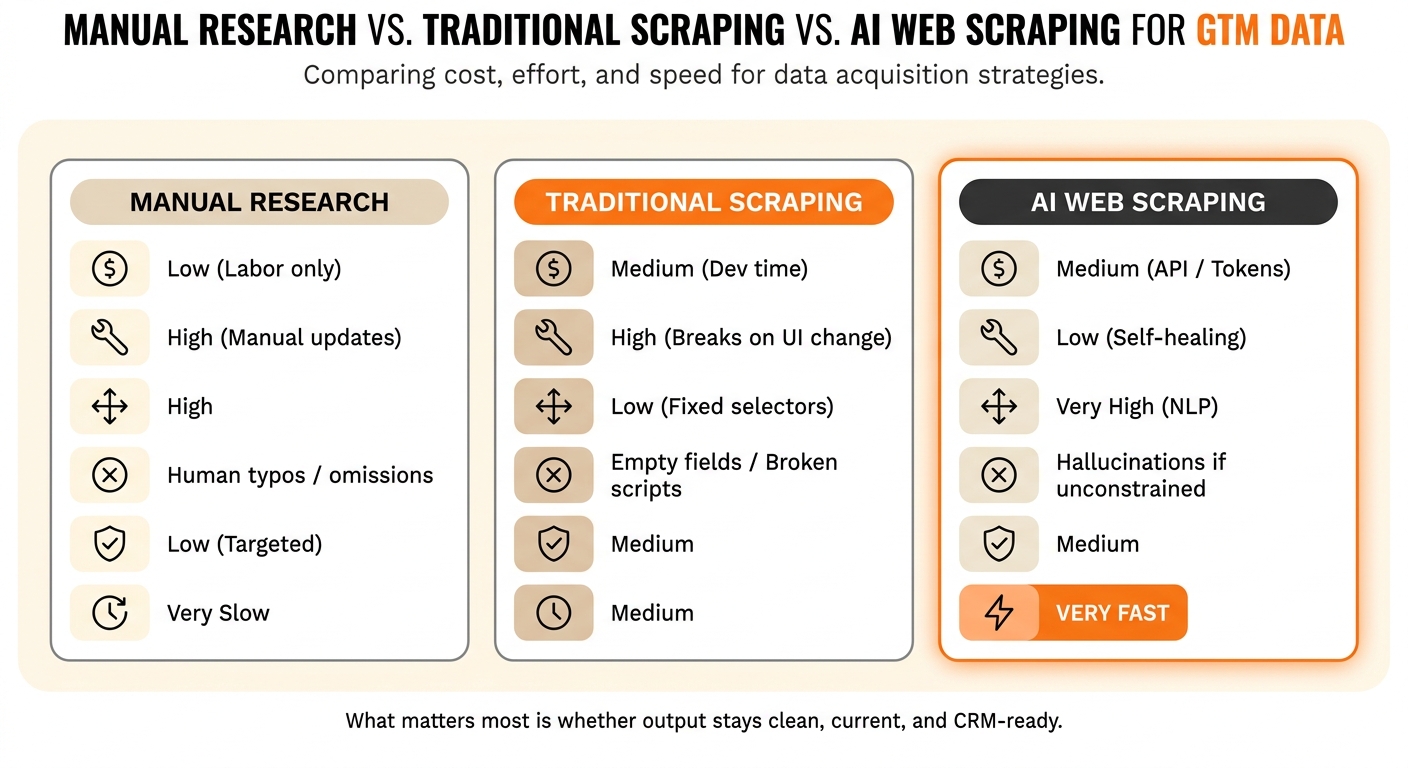
Manual Research vs. Traditional Scraping vs. AI Web Scraping
Each method has its place. The right choice depends on your stage, budget, and how much maintenance work you can tolerate. Here’s where each one starts to crack.
| Approach | Setup Cost | Maintenance Effort | Flexibility | Error Modes | Compliance Risk | Speed |
|---|---|---|---|---|---|---|
| Manual Research | Low (Labor only) | High (Manual updates) | High | Human typos/omissions | Low (Targeted) | Very Slow |
| Traditional Scraping | Medium (Dev time) | High (Breaks on UI change) | Low (Fixed selectors) | Empty fields/Broken scripts | Medium | Medium |
| AI Web Scraping | Medium (API/Tokens) | Low (Self-healing) | Very High (NLP) | Hallucinations if unconstrained | Medium | Very Fast |
What matters most isn’t the method by itself. It’s whether the output stays clean, current, and CRM-ready. For founders, the challenge here is maintenance load as the source list grows. The same system can also support ICP research, competitor monitoring, and broader customer acquisition strategies for B2B.
Using AI Extraction for ICP Research and Competitive Intelligence
Use the same extraction stack to keep ICP and competitor signals current between outbound cycles.
Automating ICP Research with Live Market Signals
Your ICP shifts as markets mature and conversion patterns change. That’s why ICP research works best as a recurring extraction job, not a quarterly slide deck exercise.
The mechanism is simple: separate fit from priority. Firmographics and technographics tell you whether an account matches your ICP. Hiring activity, funding, and leadership moves tell you whether you should act on that account right now.
For sourcing, ATS pages like Greenhouse or Lever do a lot of heavy lifting. Job descriptions often show tech stack clues right in the open. SEC EDGAR Form D filings can also surface private funding rounds before any press release appears[2].
Use those signals to retier accounts, sharpen messaging, and test outbound hypotheses without over-scoring fit.
Gathering Competitive Intelligence from Public Web Sources
Competitor moves usually show up in public before they show up in a sales call. Pricing pages, feature pages, release notes, and hiring pages all leave a trail. The same pipeline can track those changes as they happen.
Each source answers a different question. Feature pages show capability gaps. Pricing pages can hint that a rival is moving upmarket, especially when a public price disappears and "contact us" replaces it. Release notes and changelog blogs point to roadmap direction. Keyword extraction for terms like "API" or "security" shows where they’re putting time and money[14]. Careers pages can also flag shifts when new leadership roles or specialized hires appear[5].
For stable sources like a competitor’s pricing page, use scheduled extraction recipes on a fixed cadence, then diff each pull against the last one. For noisier sources like blogs, news, and webinars, extract the raw text first and let an LLM structure it after. In other words, that setup depends less on page layout and keeps working after redesigns[13].
What to Monitor, How Often, and How to Act on It
Use the signal type to set cadence and downstream action.
| GTM Question | Web Source | Extraction Pattern | Update Cadence | Downstream Output |
|---|---|---|---|---|
| Is the ICP expanding? | Careers / ATS Pages | Count open roles by department and seniority | Monthly | Updated account tiers and territory maps |
| Did they just get budget? | SEC EDGAR (Form D) | Filing date and funding amount | Weekly | High-priority lead list |
| What’s their tech stack? | Job Descriptions | Tools and languages in role requirements | Monthly | Technographic fit score in CRM |
| Is a rival shifting upmarket? | Pricing and Feature Pages | AI-summarized tier changes | Monthly | Messaging updates and battlecards |
| What’s on their roadmap? | Release Notes and Careers | Keyword extraction (e.g., "API", "Security") | Monthly | Product gap analysis |
| Is there a leadership shift? | Company Newsroom | New VP or C-level hire detection | Bi-weekly | "First 90 Days" outreach sequence |
| Is the account in distress? | Layoffs.fyi / News | Match company name to recent layoff events | Weekly | Account deprioritization |
| How do they position vs. us? | Competitor Blog / Webinars | Theme and keyword analysis | Quarterly | Founder positioning and ad copy |
Proof discipline matters here. Require a source URL or direct quote for every signal. If the model can’t cite evidence, drop the signal before it reaches CRM or battlecards[6][3].
Running the System Responsibly and Connecting It to Revenue
Compliance and Boundaries for Public Web Data
Public-web extraction works when you keep it simple and disciplined. Stay on publicly accessible pages and follow the target site’s access rules.
Scrape only pages that are visible without a login. Once content sits behind authentication, legal risk and terms-of-service risk climb fast.
Treat robots.txt as a policy signal. Honor Disallow directives, and rate-limit requests so you don’t overload the source.
Focus on company facts and role-based contacts before personal data. For EU targets, document legitimate interest, complete a DPIA, and push suppression lists across every GTM tool [2][7][15].
| Compliance Area | Rule | Risk If Ignored |
|---|---|---|
| Public Data Only | No scraping behind logins | High – CFAA exposure |
| robots.txt | Honor "Disallow" directives | Medium – ToS violations, IP blocks |
| Personal Data | Use legitimate interest; provide opt-out | High – GDPR/CCPA |
| Server Impact | Throttle and rate-limit requests | Medium – civil liability |
These controls matter for a simple reason: GTM data only pays off when it can move cleanly into revenue workflows.
How I Build GTM Data Systems at Data-Mania
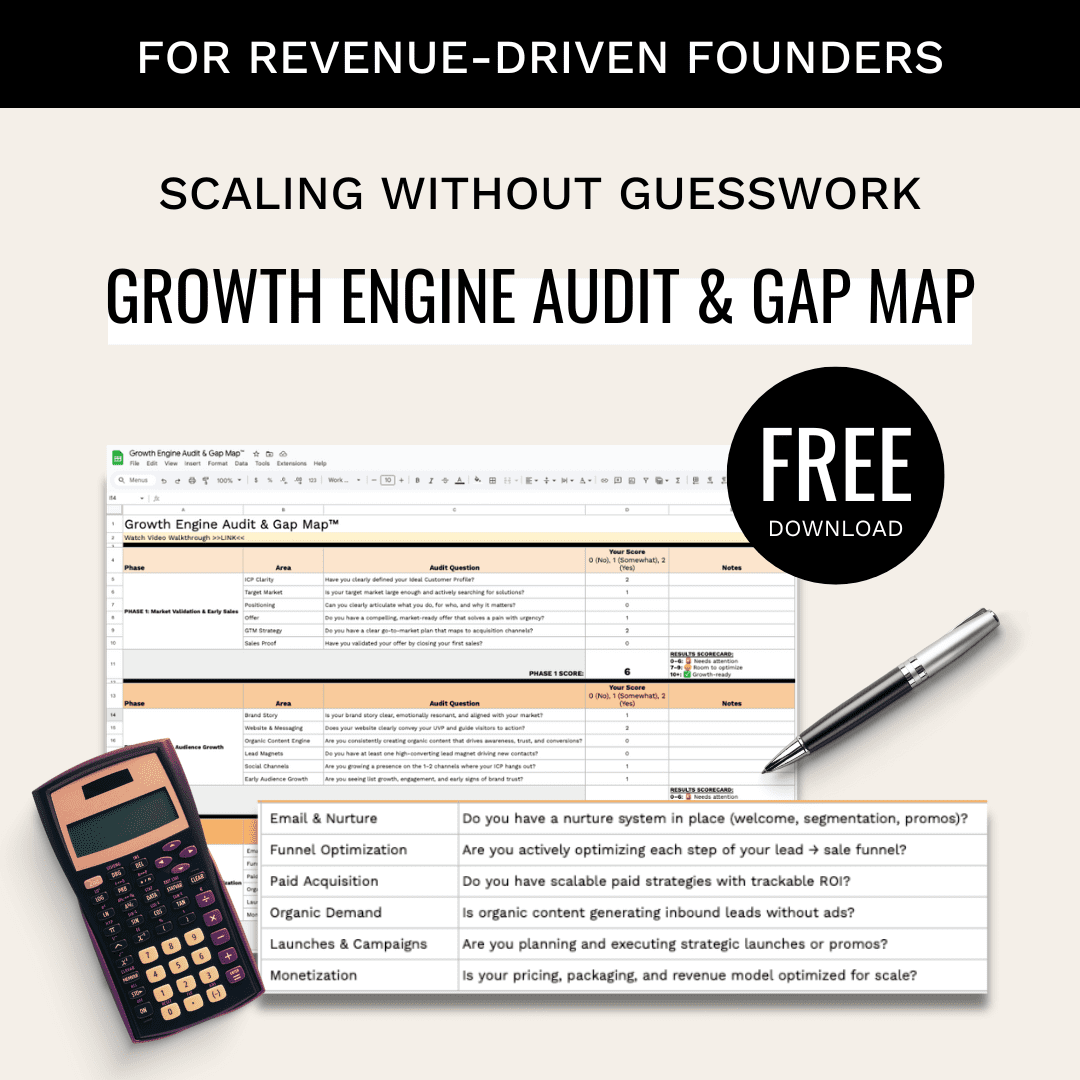
That same idea shapes how I build GTM data systems at Data-Mania. I start with a Growth Engine Audit & Gap Map, then connect extraction to repeatable GTM workflows for CRM sync and outbound positioning.
For SingleStore, I helped build an organic growth engine that drove about 1,100 MQLs at roughly $50 CPL without paid ads. That’s the bar I care about. The system has to connect data collection to pipeline, not just produce a bigger spreadsheet.
Conclusion: The Key Decisions Founders Should Make Next
The extraction stack creates value when it feeds a decision. Raw data sitting in a spreadsheet won’t move pipeline.
Define your ICP before you scrape anything. Source choice, schema design, and cadence all depend on which signals point to conversion in your market. Pick sources based on signal quality, not convenience.
Lock in fixed schemas and validation rules so downstream CRM routing keeps working when a site changes its layout. Use AI extraction for list building and market learning at the same time. The same pipeline that finds prospects can also show you ICP shifts and competitor moves.
Start with one workflow tied to one revenue decision. Measure output quality against pipeline results, then expand only when the system improves both.
FAQs
How do I choose the right ICP fields to extract first?
Start with ICP fit fields that decide whether a company is in or out. Those are the most expensive mistakes, so get them right first. Use fields you can verify with clear public proof on the company’s own site: what they sell, primary customer type, and segment or tier.
Then add timing or intent after fit. Use one buying trigger, or write "none found." If you can’t confirm a field from the page, mark it as "unclear" instead of guessing.
What signals are best for spotting in-market accounts?
The best way to spot in-market accounts is to track real-time intent signals that show a company is in motion. When a team starts to change, that change usually leaves a trail. That’s the trail you want to follow.
A static account list tells you who could be a fit. Real-time signals tell you who may be ready right now.
Key signals to watch include:
- Hiring patterns that point to a new team, product push, or market expansion
- Funding events that signal new budget and pressure to grow
- Technical indicators that show stack changes, new tools, or buying motion
- Competitive indicators, such as negative reviews or leadership changes, that hint at friction inside the business
In other words, you’re looking for signs that a company isn’t standing still. It’s making moves, solving a problem, or reacting to pressure.
Pair those signals with firmographic fit so you can rank accounts that are ready to engage now, instead of chasing names that only match a static list.
How can I keep AI-extracted data accurate before CRM sync?
Treat scraping like a pipeline. First, load the data into a structured table. Then move it through enrichment, normalization, deduplication, and field validation so the output is usable, not just collected.
Freshness matters here. Re-run scheduled scrapes to keep records current, and timestamp the scrape, enrichment, and verification dates so you know what changed and when.
Before export, verify emails. Then spot-check a sample of the output for QA. It’s a simple step, but it saves you from pushing bad records into sales workflows.
You should also suppress bounces, opt-outs, and "not a fit" records so they don’t keep coming back into the system. In other words, clean data isn’t a one-time pass. It comes from a process that keeps weak records from resurfacing.