If your team is small, the right AI workflow setup usually comes down to one question: Do you want speed, control, or depth? I’d put it this way: Uplift fits teams that want a service to build and maintain workflows, Aident AI fits teams that want to write automations in plain English, AgentHub fits teams that want canvas-based control, and Lyzr AI fits teams that need deeper system logic and tighter governance.
Here’s the short version:
- Uplift: best when your team wants workflows built for you and wants to save 10 to 20 hours a week
- Aident AI: best when a founder or operator wants to launch in hours or days with plain-language Playbooks
- AgentHub: best when you want visual orchestration, reusable agents, and tighter access controls
- Lyzr AI: best when you need custom agent flows, private deployment, and cost control by run type
The tradeoff is simple:
- Prebuilt / managed gives you the shortest path to launch
- Plain-language gives you self-serve setup without much builder work
- Orchestration gives you more logic control and audit trails
- Custom systems give you the most depth, but they take more setup
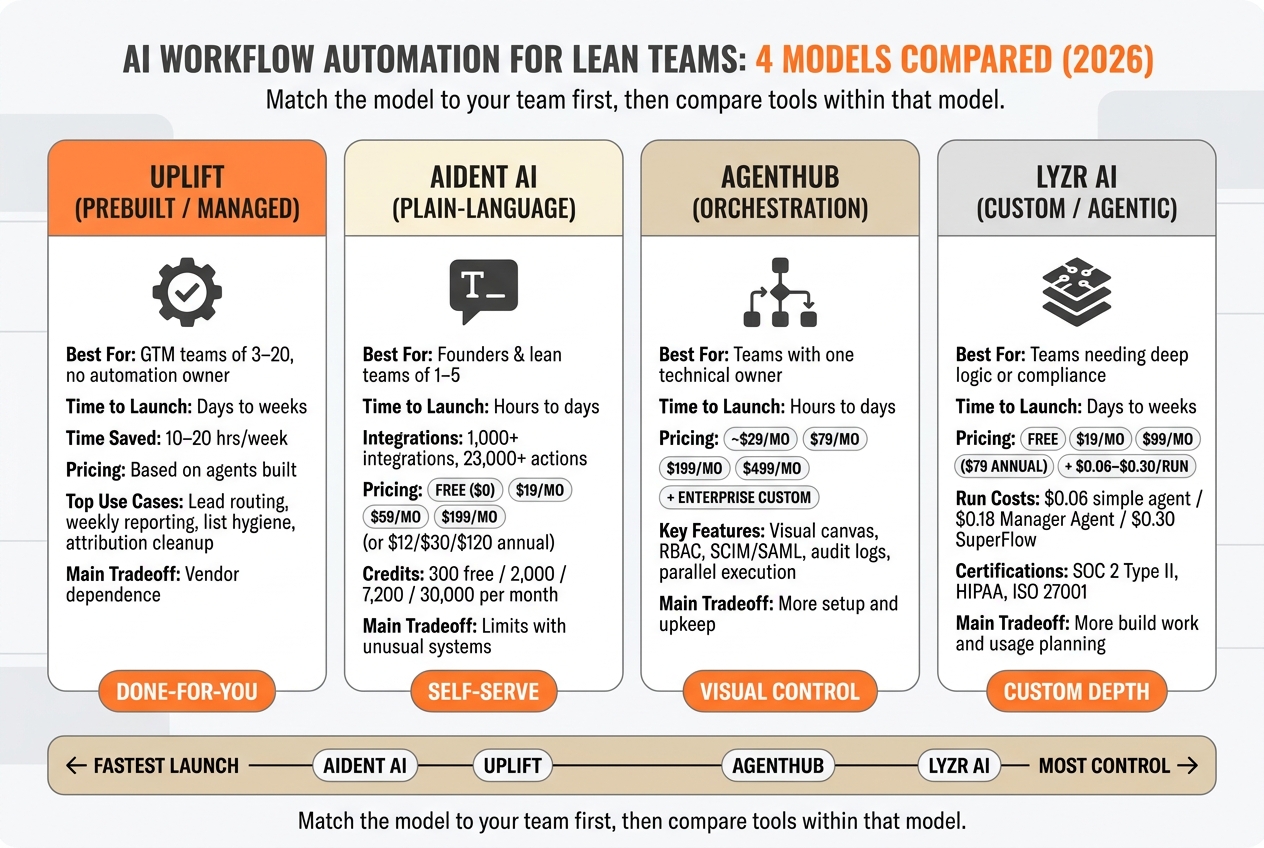
AI Workflow Automation Tools Compared: Uplift vs Aident AI vs AgentHub vs Lyzr AI (2026)
Quick Comparison
| Model / Tool | Best For | Time to Launch | Main Tradeoff | Pricing Shape |
|---|---|---|---|---|
| Prebuilt / Uplift | GTM teams of 3 to 20 without an automation owner | Days to weeks | More vendor reliance | Priced by agents built |
| Plain-language / Aident AI | Founders or lean teams of 1 to 5 | Hours to days | Can hit limits with odd systems | $0, $19, $59, $199/month |
| Orchestration / AgentHub | Teams with one technical owner | Hours to days | More setup and upkeep | Around $29 to $499/month |
| Custom / Lyzr AI | Teams that need deeper logic or compliance controls | Days to weeks | More build work and usage planning | $0, $19, $99/month plus $0.06 to $0.30/run |
When most people hear AI workflow automation, they think simple trigger-action tasks. However, the article shows a bigger split: some tools are built for quick GTM wins like lead routing and reporting, while others are built for multi-step agent flows across CRM, product data, approvals, and audit logs. If I were choosing, I’d match the model to the team first, then compare tools inside that model.
1. Uplift
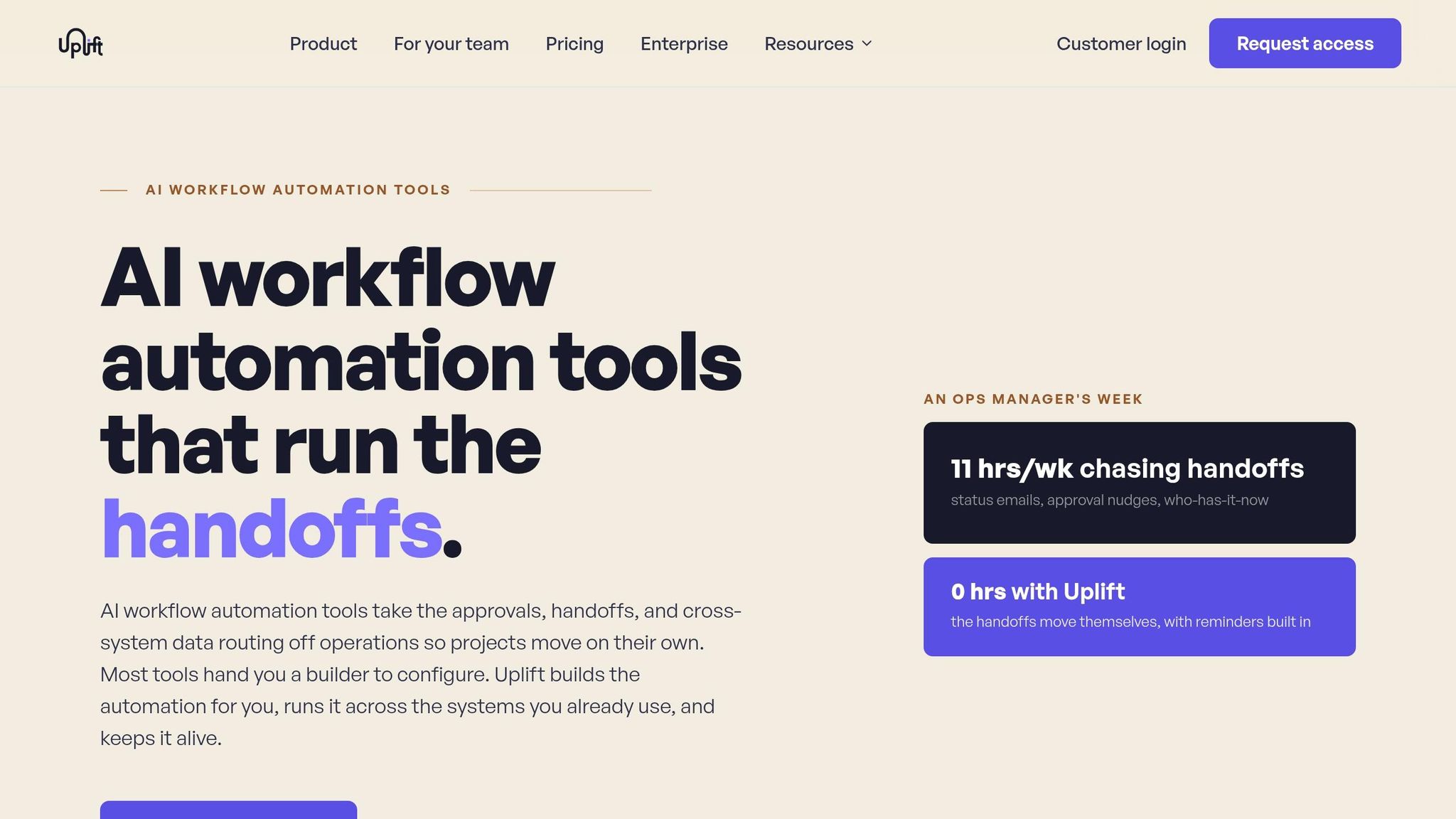
Uplift is the done-for-you choice in this comparison. Your team explains the process in plain English, and Uplift’s implementation engineers turn that into a working workflow, then keep it up to date as tools and models shift. [7][8][13][14]
Time-to-Value
Lean teams can often go live in a few days to a few weeks. Uplift connects tools like HubSpot, Salesforce, Gmail, Google Sheets, Slack, and GA4, then sets up triggers, actions, error handling, and data mapping for you. [7][8][1][9][10][11]
For a 3-person growth team, that can free up 10 to 20 hours a week that would otherwise go to reporting, routing, and cleanup. [4][7][8] In other words, your team gets time back without having to build and babysit automations on its own.
The fastest payoffs usually come from:
- weekly reporting
- lead routing
- list hygiene
- attribution cleanup
Those tend to matter most when the workflow needs branching rules and stack-specific logic. [1][9][10][11]
Workflow Flexibility
Here, “prebuilt” does not mean rigid templates. It means Uplift builds the workflow for you. One automation can handle conditional branching, so an enterprise lead can go to one AE with a Slack alert, while an SMB lead goes to another path in the same flow. [7][8][1][9][10][11]
It also runs inside the tools your team already uses. That means there’s no new main platform to learn, manage, or log into every day.
Governance and Reliability
Because Uplift’s implementation engineers spend their time on repetitive, data-heavy workflows across many teams, they bring tested patterns for error handling, logging, and rollback. CRM and workspace permissions still stay in place, so access control feels familiar. [10][11][14]
The good news is that this cuts down the maintenance load, which is where many DIY automation setups start to get expensive. However, lean teams should still assign one internal owner to review workflow maps from time to time and audit automations as business rules shift.
Total Cost of Ownership
Uplift prices based on agents built, not seats or feature tiers. That matters when you compare it with a $90,000 to $140,000 marketing ops hire, plus benefits, or with the hidden cost of senior team members spending 8 to 10 hours a week on manual ops. [4][7][1][9][10][11]
DIY no-code tools can look cheaper at first glance. Unfortunately, the upkeep still falls on your team, and that cost has a way of sneaking up on you.
Best fit: U.S.-based B2B SaaS or services teams with 3 to 20 people in go-to-market, no dedicated automation engineer, and a mainstream stack. If 1 to 2 people spend more than a day each week on reporting, routing, cleanup, or campaign ops, Uplift is worth a close look. Next, Aident AI shows the more self-serve plain-language model.
2. Aident AI
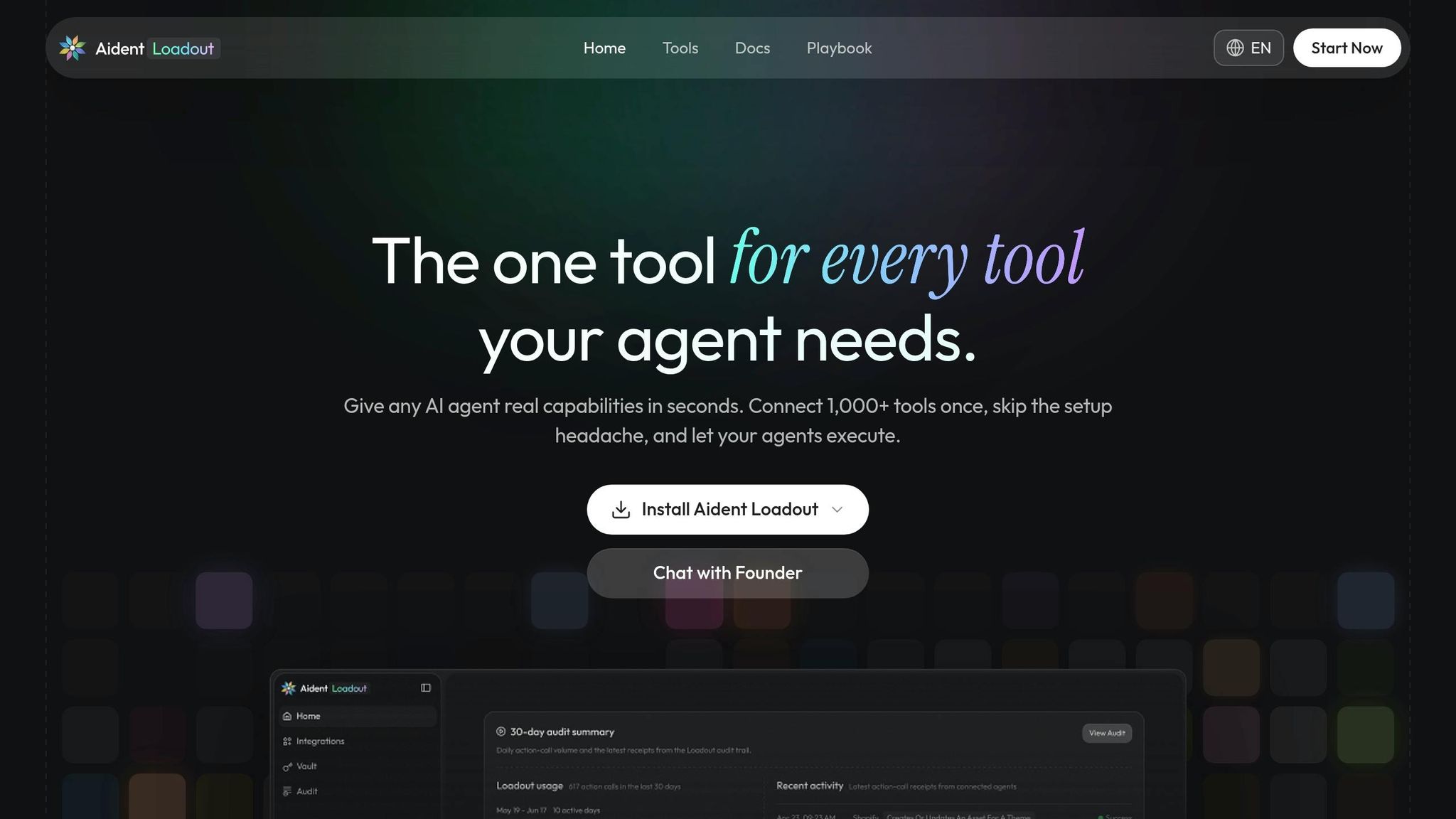
If Uplift is the done-for-you option, Aident AI sits in the middle. It gives you a self-serve setup in plain English: you describe the workflow, and Aident turns it into an executable Playbook.
Time-to-Value
Small teams can move from idea to a live workflow in hours or days, without an engineering sprint or a visual builder. A smart starting point is 2-3 low-risk workflows like lead nurturing, onboarding, or churn alerts after you connect your CRM, email, and product analytics.[16][18][23]
Workflow Flexibility
Aident AI handles multi-step flows with branches, schedules, and event triggers across 1,000+ integrations and 23,000+ actions, including Slack, Gmail, HubSpot, and Salesforce.[19][20][22] In other words, you can adjust logic through conversation. You can change a delay or limit a flow to U.S. customers without rebuilding everything from scratch.
However, highly custom systems, unusual data models, or niche webhooks still call for extra setup.[15][18][23]
Governance and Reliability
Playbooks keep routing, scheduling, and writes structured, while AI-driven actions handle summarization and enrichment. For sensitive actions, you can add approval steps first. Then you can review runs, failures, and key events in the monitoring dashboard.[16][18][20][21]
Total Cost of Ownership
Aident AI uses a credit-based pricing model through the Playbook Editor. The free tier includes 300 credits per month at $0. Paid plans start at $19/month for Basic with 2,000 credits, $59/month for Pro with 7,200 credits, and $199/month for Max with 30,000 credits. With annual billing, those prices drop to $12, $30, and $120 per month.[17][24]
The good news is the math can work fast. If you avoid even 10-20 hours of developer time each month at about $75-$150/hour, the spend can pay off quickly, especially in the first 3-6 months of go-to-market. It tends to fit best until workflows become heavily customized or deeply tied to internal systems.
Best fit: Founders or growth operators on teams of 1-5 people who are comfortable describing workflows in detail and want to skip a heavy builder.
Next, AgentHub covers the orchestration-first model for teams that want more agent control.
3. AgentHub
AgentHub takes a visual orchestration approach instead of plain-language automation. You drag, drop, and connect modular components on a canvas to run multi-step workflows. Or put another way, it sits in the middle: more control than plain-language automation, with far less overhead than a fully custom system.[26][27]
Time-to-Value
A basic workflow can go live in hours or days. Most teams start by connecting core tools, tweaking a template, then adding AI steps and testing on low-traffic segments before they scale up.[26][28][30][31]
The challenge here is maintenance. You still need someone technical enough to tune the workflow over time.[26][28][30][31] The good news is that visual debugging, logs, and test runs shorten the feedback loop while you dial things in.[27][29][31]
Workflow Flexibility
This is where AgentHub stands out. It supports parallel execution, conditional routing, memory, and human oversight, so you can build branching workflows instead of simple trigger-action chains.[27]
In advanced setups, workflows can split into specialized sub-tasks and merge outputs at the end.[36] Each agent can also work as a reusable module, which makes model or tool swaps much easier because you don’t have to rewrite the whole flow.[35] If your team runs outbound sequences, lifecycle nudges, and CRM updates at the same time, that modular setup matters.
Governance and Reliability
AgentHub is built with production-grade controls such as RBAC, SCIM/SAML, audit logging, and run logs.[29][34] That gives teams tighter control over who can edit or trigger live workflows. It also makes room for approval steps before customer emails or CRM updates go out.[27][29][34]
Those logs do more than sit there. Teams can use audit logs to isolate failures and review edits when something goes sideways.[27][29][34] For lean teams handling customer data and revenue-linked campaigns, that level of control matters.[29][37]
Total Cost of Ownership
Representative AgentHub pricing can start with a free tier or around $29/month, with higher tiers at $79, $199, and $499. Enterprise deployments are usually custom-quoted.[25][32]
Beyond the platform fee, teams should also budget for LLM and API usage if they bring their own API keys, plus the time it takes to design, test, and maintain workflows.[25][27][33] The upside versus custom-coded automation is simple: you skip infrastructure management and avoid rebuilding orchestration logic in-house. That makes it much easier for a small team to keep running.
Best fit: Lean teams with at least one technically inclined owner who need flexible, production-grade workflows across multiple tools and channels, and want those workflows to scale without a full engineering rewrite. Teams that need deeper customization and system-level control move next to Lyzr AI.
4. Lyzr AI
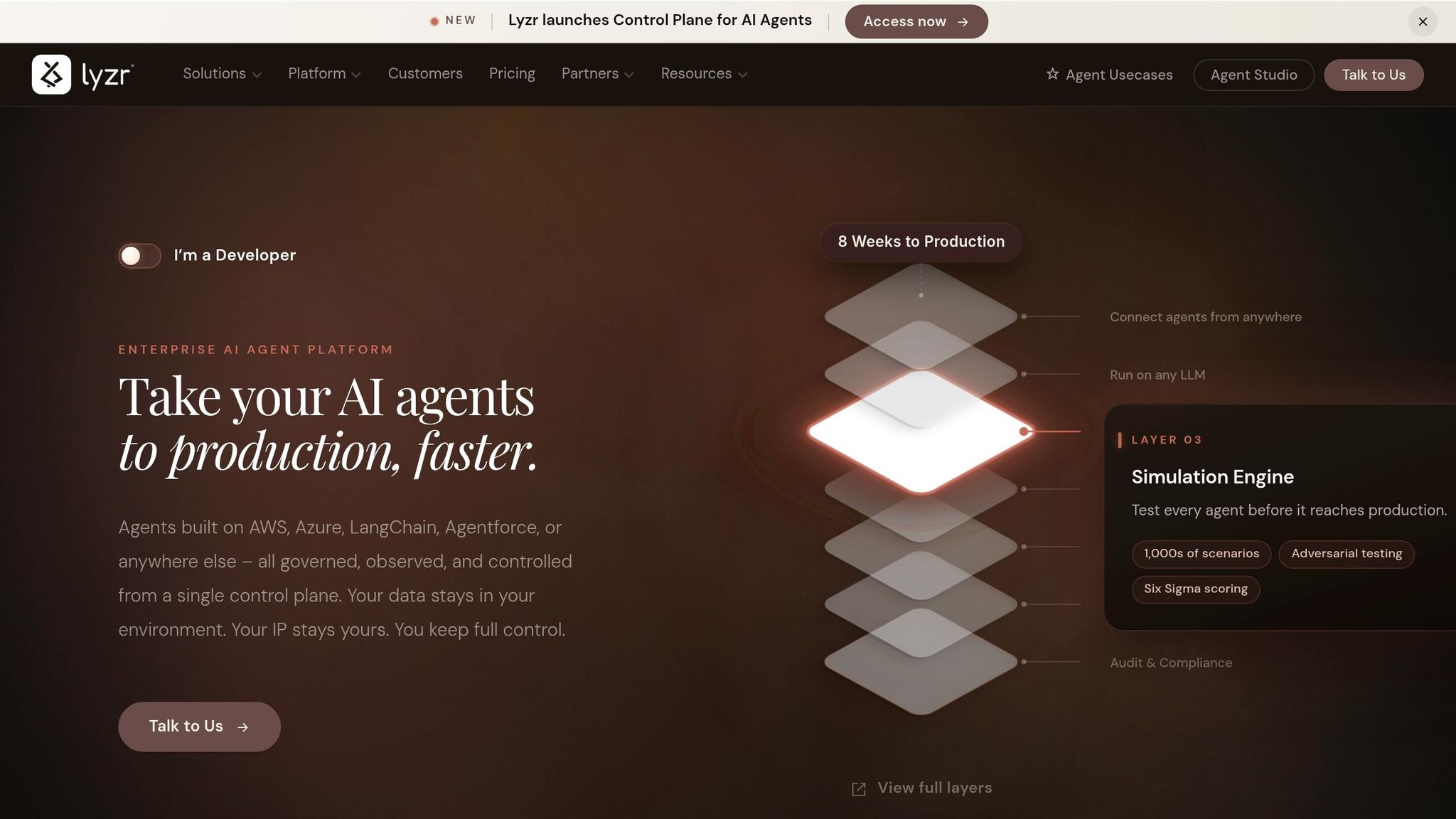
Lyzr AI is a custom automation layer, not a plug-and-play app. You design AI agents that chain tools, call APIs, and handle multi-step workflows, then deploy them on Lyzr’s managed cloud or inside your own VPC or on-prem environment. For lean teams that need branching, logic-heavy workflows, this is the custom-build path. It also gives you the most control in this comparison.[39][12][46]
Time-to-Value
You can get to a first working agent faster than you would if you built everything from scratch, but it still takes more time than switching on a prebuilt tool. A technical team member can usually prototype a basic workflow in days with the visual Agent Studio or the plain-language Architect interface. A first prototype can go live in days, while production hardening often takes a few weeks once APIs, schemas, and guardrails are set.[12][45]
The tradeoff is pretty simple. Speed is fine, but control is the main reason to choose it.
Workflow Flexibility
Lyzr’s edge is depth. It supports Manager Agents for dynamic routing and SuperFlows for structured branching execution, which means you can build logic that goes far beyond a linear zap.[46] One agent can score a lead, another can draft a personal message, and a Manager Agent can choose the next path, all in one run.[5][43][44]
Teams can build with the visual Agent Studio, a Python or TypeScript SDK, or REST APIs. That split is useful because marketing can shape the flow while engineering locks down the data model.[12][45] If one operator needs to run complex workflows without a full engineering bench, that matters a lot.
A few practical growth ops examples for generating B2B SaaS leads:
- Multi-touch lead lifecycle orchestration across CRM and product analytics
- AI-assisted content pipelines with human approval steps
- Nightly revenue reconciliation agents that flag anomalies in Slack[38][5][43][44][12]
Governance and Reliability
Lyzr’s governance stack is enterprise-grade: RBAC, SSO/SAML, audit logs, PII redaction, prompt-injection blocking, and hallucination management are all available, with SOC 2 Type II, HIPAA, and ISO 27001 certifications on enterprise tiers.[12][40][6] For lean teams that sell to mid-market or enterprise buyers, that changes the conversation fast. If your automation stack runs in a SOC 2-compliant environment and can deploy into a private VPC, procurement gets a lot easier.
The Movate case study is a good example. It reported 25–35% faster impact checks and 30–40% quicker test preparation while running with OAuth, RBAC, and private AWS connectivity.[47]
That control is great, but you do need to watch usage costs.
Total Cost of Ownership
Lyzr uses builder pricing plus per-run costs. The Community plan is free, with up to 10 agents and 500 credits per month. Starter costs $19/month. Pro costs $99/month, or $79/month on annual billing.[2][40][6][41] Production runs are billed separately: about $0.06 per run for simple agents, $0.18 per run for Manager Agents, and $0.30 per run for complex SuperFlows. LLM usage is billed at pass-through rates on top.[3][42]
Here’s the part that helps with planning. A lean B2B SaaS team that runs a SuperFlow for lead qualification 1,500 times per month would spend about $450/month in run costs, plus LLM usage. That math makes sense when each run ties to a high-value action, like qualifying an enterprise deal.
For very high-volume, low-value events, the better move is to keep flows simple and save complex SuperFlows for the paths that matter most.[3][42]
Best fit: Best for teams with one builder-level owner who need complex, governed workflows; the next section compares the tradeoffs directly.
How Each Approach Performs Across Key Decision Factors
These tools fit four automation models, not just four sets of features. That distinction matters. If you only compare features, you miss the part that affects day-to-day use: how fast you can launch, how much logic you can handle, how much control you get, and what it costs over time.
Time-to-value usually leans toward done-for-you and plain-language models first. They get teams moving fast. Orchestration and custom builds take longer, but they give you more room to shape the system around your process.
Workflow flexibility goes the other way. Custom and orchestration models handle deeper logic and more moving parts. Done-for-you works best when your workflow follows a standard playbook and you don’t need a lot of branching.
Governance and reliability tend to increase as systems get more advanced. Done-for-you tools come with basic guardrails. Plain-language tools often add logs and version history. Custom and orchestration platforms give you the full control stack.
Total cost of ownership starts lowest with done-for-you. Plain-language usually lands in the middle. Custom and orchestration cost more up front, but they can become more efficient as complexity grows.
Here’s the quick fit by team type:
| Decision Factor | Solo Founder | 3-Person Growth Team | Scaling RevOps Team |
|---|---|---|---|
| Time-to-value | Prebuilt (live in <1 day) | Plain-language (usable in 1–3 days) | Custom/agentic (4–8 weeks to full consolidation) |
| Workflow flexibility | Plain-language for moderate variation | Plain-language with extensions | Custom/agentic for multi-system, multi-agent logic |
| Governance & reliability | Prebuilt guardrails | Plain-language logs + approval steps | Custom/agentic with RBAC and observability |
| Total cost of ownership | Prebuilt (lowest up-front) | Plain-language (balanced) | Custom/agentic (higher up-front, lower long-term per unit of complexity) |
Pros and Cons of Each Approach
Each model puts the work in a different spot. Your team can describe the workflow, structure it, build it, or coordinate it.
Read these four models like a trade-off map. Managed service buys speed. Plain-language automation buys ease. Orchestration buys control. Custom build buys depth.
Uplift works best when you want a team to build and maintain the workflow for you. The trade-off is vendor dependence and less room for fast iteration.
Aident AI is the fastest self-serve option for plain-language automation, and it fits best when your workflows stay inside common marketing and growth patterns.
AgentHub gives you the most control short of a custom build, but you’ll spend more time on design, testing, and maintenance.
Lyzr AI stands out for structured orchestration and regulated use cases, but it pays off most when your processes are already well defined.
The table below turns those trade-offs into a quick fit check.
| Tool | Strengths | Limitations | Best-Fit Team Profile |
|---|---|---|---|
| Uplift | Fast time-to-value; no build required; engineers handle maintenance.[8][7] | Vendor dependence; managed-service pricing may feel heavy for very early teams.[10][7] | Non-technical GTM leaders who want managed automation. |
| Aident AI | Fastest self-serve setup; 1,000+ integrations; built-in approval steps.[22][19][51][52] | Narrower scope; niche integrations or unusual approval flows may hit the ceiling.[50][52] | Lean marketing teams using plain-language workflows. |
| AgentHub | Full control over workflow logic; strong governance and audit tooling.[27][29] | Slower start; needs ongoing design and maintenance work.[49] | Teams that want custom control without a full engineering buildout. |
| Lyzr AI | Structured orchestration; enterprise-grade governance; flexible deployment.[53][54][55] | Needs well-defined processes; less useful for early-stage improvisation.[48] | Mature teams with defined processes and compliance needs. |
Conclusion
After you look at launch speed, control, maintenance, and cost, the choice comes down to fit. Pick the model that matches your workflow complexity, who owns the process on your team, and your compliance needs, not the one with the longest feature list.
In other words, use prebuilt for standard workflows. Use plain-language when operators need to iterate on their own. Use custom automation for edge cases, compliance-heavy work, or deeper system logic.
The adoption path is pretty direct. Start with your highest-volume workflows, prove ROI, and add complexity only when the current model starts to break on cost, control, or reliability.
Keep reading
- the best AI agent platforms for GTM teams
- how to build an AI-native GTM strategy
- what a GTM engineer actually does
FAQs
How do I choose the right automation model for my team?
Match the tool’s complexity and price to your team’s technical skills, workflow volume, and growth goals. Start with a quick stack audit, spot repetitive tasks that eat more than 5 hours a week, and focus first on 3 to 5 high-impact workflows.
Team fit should drive the choice. Some tools work best for low-code or non-technical teams. Others make more sense for technical teams. Some are ideal when you need fast prototyping and want to test ideas without a long setup cycle.
Build in human-in-the-loop approvals for key actions so people stay in control where it matters most. Start with one pilot, collect feedback from the team using it day to day, and review results every 90 days.
When should a lean team move beyond simple AI workflows?
Move past simple AI workflows once manual work starts to slow growth in a steady way.
A few signs tend to show up early. You might have tasks that eat up more than 5 hours a week. You might hit free-tier limits for a full month. You might manage 50+ active leads in a spreadsheet and feel that strain every day. And once you reach $10,000 to $50,000 in monthly recurring revenue, the pull between strategy and execution usually gets a lot harder to manage.
What hidden costs matter most with AI workflow automation?
Hidden costs in AI workflow automation go well beyond the monthly subscription. In practice, three areas tend to hit hardest.
- AI credit usage for complex nodes can sneak up on you fast. Top-up credits often cost 50% more than standard rates, so one heavy workflow can turn into a much bigger line item than expected.
- Total cost of ownership includes more than the tool itself. You also need to account for tokens, infrastructure, red-teaming, and maintenance.
- The integration tax shows up when system connections are fragile. Things break, people step in, and your team spends time patching gaps instead of moving work forward.
It might surprise you to hear that regular stack audits can cut costs without changing your whole setup. They help you spot overlapping tools, trim recurring mental overhead, and reduce the drag that comes from brittle integrations.