
If an AI agent can touch customer messages, pricing, contracts, or sensitive data, I’d keep a person in the approval path. That’s the core point. In 2026, AI can run big parts of GTM, but the safest setups still sort tasks by risk, add review gates for high-stakes actions, and watch live behavior every week.
It might surprise you to hear that the line is often simple: drafting is lower risk, sending is higher risk. I’d use three lanes for every workflow:
- Human-in-the-loop for outbound copy, discounts, refunds, and contract actions
- Human-on-the-loop for lead routing, scoring, and research
- Fully automated for low-stakes logging and enrichment
I’d also add review any time an agent shows low confidence, tries bulk CRM changes, or combines sensitive data, external communication, and execution. That last combo is where teams get into trouble fast.
A few numbers and signals stand out:
- 13x growth in average monthly AI token spend from January 2025 to January 2026
- Weekly checks should track policy violation rate, hours saved per rep, ideal-customer match rate, CAC change, and data hygiene %
- High-risk actions should have a clear outcome: approve, edit, reject, or escalate
Here’s the short version of how I’d run it:
- Map each GTM workflow by customer impact, dollar impact, data risk, and how easy it is to undo
- Set approval owners by role, with source data and agent reasoning shown at review
- Limit each agent’s access with least-privilege rules
- Use one layer for approvals, one for testing, and one for live monitoring
- Review results every Monday and Friday so you can tighten control or allow more autonomy based on proof
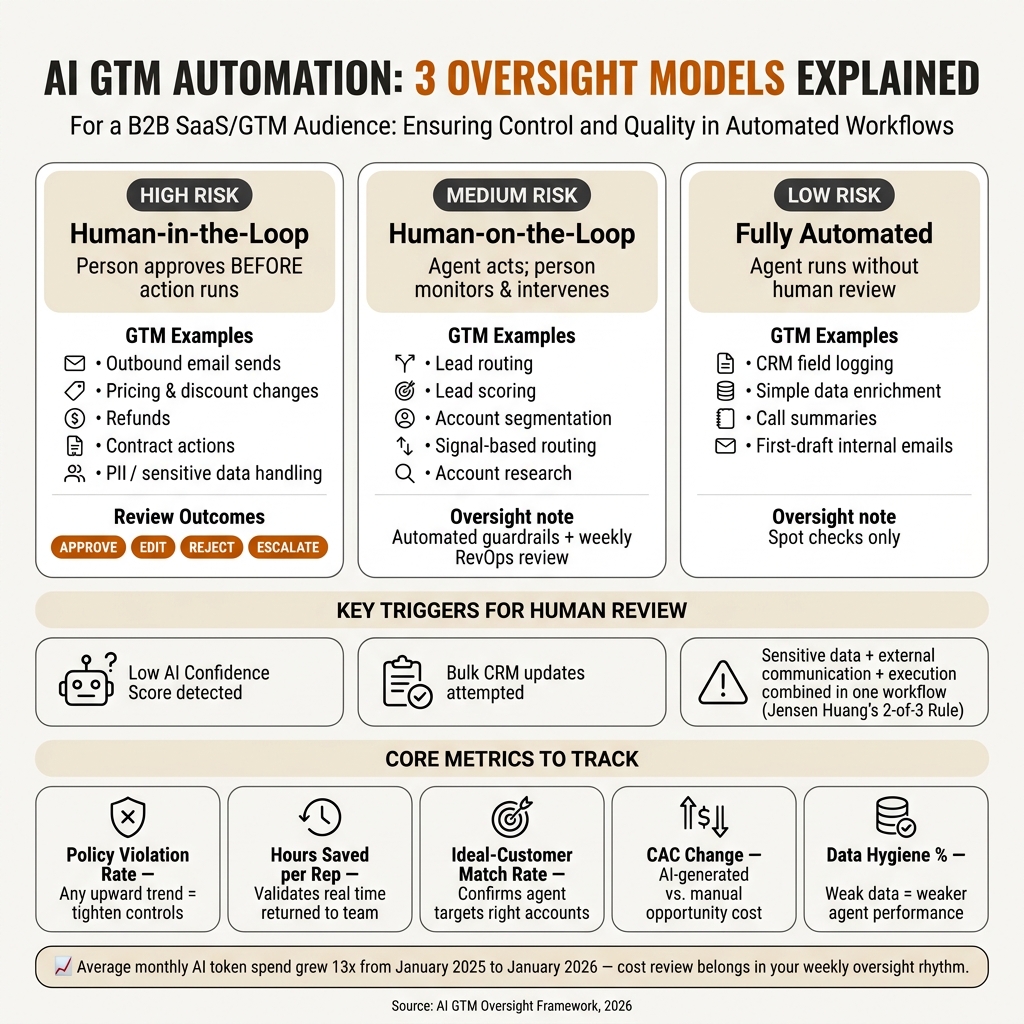
AI GTM Oversight Models: Human-in-the-Loop vs. Human-on-the-Loop vs. Fully Automated
Quick comparison
| Oversight model | How I’d use it | GTM examples |
|---|---|---|
| Human-in-the-loop | Person approves before action runs | Outbound sends, pricing changes, refunds, final contract steps |
| Human-on-the-loop | Agent acts, person watches and steps in if needed | Lead routing, segmentation, account research |
| Fully automated | Agent runs without review | CRM field logging, simple data enrichment and ROI forecasting |
In other words, I wouldn’t aim for less automation. I’d aim for clear review points, tight access, and weekly checks so AI can scale without making costly mistakes at volume.
Step 1: Map your GTM workflows by risk and business impact
Start by listing every automated or semi-automated GTM action across marketing, sales, RevOps, and customer success, including anything you plan to roll out next. As AI starts handling calls that used to live in a founder’s head, you need explicit rules in place. This inventory becomes your control layer for everything that follows.
Rate each workflow against four factors:
- Customer impact: Does it touch a prospect or customer directly?
- Dollar impact: Does it affect revenue, pricing, or contracts?
- Compliance exposure: Does it involve sensitive data, such as trade secrets or financial records?
- Reversibility: Can you undo it fast?
Your job is simple: sort each GTM action into one of three buckets: reviewable, monitorable, or executable without oversight.
Low-, medium-, and high-risk AI actions in GTM
A simple rule helps here: drafting is low risk; sending is high risk. Use that idea as the anchor for the table below:
| Risk Level | Action Type | Examples | Oversight Requirement |
|---|---|---|---|
| Low | Internal drafting | Call summaries, account research, first-draft emails | Spot checks |
| Medium | Funnel logic | Lead scoring, segmentation changes, signal-based routing | Automated guardrails + weekly RevOps review |
| High | External or financial | Outbound sends, pricing/discounts, refunds, PII handling, contract cancellation | Mandatory human approval before execution |
Hayes Davis, Co-founder of Gradient Works, says it clearly:
"You wouldn’t really want a rogue AI SDR to start spamming executives at your million dollar customers or to cancel a contract in your ERP system." [3] – Hayes Davis, Co-founder, Gradient Works
Conditions that should trigger human review
Risk level gives you the baseline. However, some conditions should kick a workflow up to human review no matter where it usually sits. The clearest triggers are low AI confidence scores, bulk CRM updates, and any action tied to financial changes or sensitive data.
Any pricing, discount, or refund change needs human approval. The same goes for any action that involves personally identifiable information or sensitive company data. Jensen Huang, CEO of Nvidia, explained the logic well:
"If we want to be secure as an enterprise, you should allow someone, including an AI, any two of those three things at one time [accessing sensitive info, executing code, communicating with the outside world], but not all at one time." [2] – Jensen Huang, CEO, Nvidia
In other words, if an AI action combines sensitive data access with external communication or execution, put a human in the loop before it runs. Use this map to decide which workflows need approval gates in Step 2.
Step 2: Build AI approval workflows for decisions that matter
Take those risk buckets and turn them into routing rules. Low-risk actions can run on their own. Medium-risk actions should wait for review. High-risk actions need sign-off. These approval paths act as the control layer for the guardrails in Step 3.
Define approval gates, owners, and evidence requirements
Assign each approval to a role, not a person, and connect every AI action to least-privilege access. The approval owner is the person accountable when an agent hits a high-stakes decision. Keeping that role explicit helps founders stay in control without slowing the team down.
Reviewers should always see the source data and the agent’s rationale before they approve anything.
Set clear outcomes for approve, edit, reject, and escalate
Every review should end with one of four outcomes:
| Decision | When to Use It | What Happens Next |
|---|---|---|
| Approve | Action is ready to execute | Execute right away; log source data and rationale. |
| Edit | Messaging needs adjustment | A human updates the draft before release; log the human edits. |
| Reject | Action violates policy or uses poor data | Block the action and flag the policy violation. |
| Escalate | Action creates customer, revenue, or compliance risk | Send it to a higher-level reviewer for ambiguous or high-risk cases. |
Escalate any action that combines sensitive data, external communication, and code execution. Use these same routing rules when you add permissions, logs, and monitoring in the next step.
Step 3: Add guardrails and monitoring to keep AI GTM automation safe
Approval gates catch decisions. Guardrails catch everything in between. An agent can still pull the wrong data, send before review, or change something outside policy before anyone spots it. The next step is control: limit what each agent can access, change, and execute.
Use permissions, policies, and audit logs to reduce avoidable errors
Start with least-privilege access. Give each AI agent an authenticated identity, then use role-based access control so it can reach only the CRM fields, ad accounts, or marketing automation tools it needs for that job.
Then add policy gates after access control. These automated rules stop out-of-policy actions before they run.
On the logging side, capture every prompt, tool call, approval decision, and live action, along with the reason behind it.
Use the two-of-three rule for GTM agents: never put sensitive data access, external communication, and code execution in the same workflow. Split those powers across separate, tightly scoped agents.
Use HumanLayer, Gentrace, and Openlayer for approval, evaluation, and monitoring
Use one tool for each layer: approval, evaluation, and monitoring.
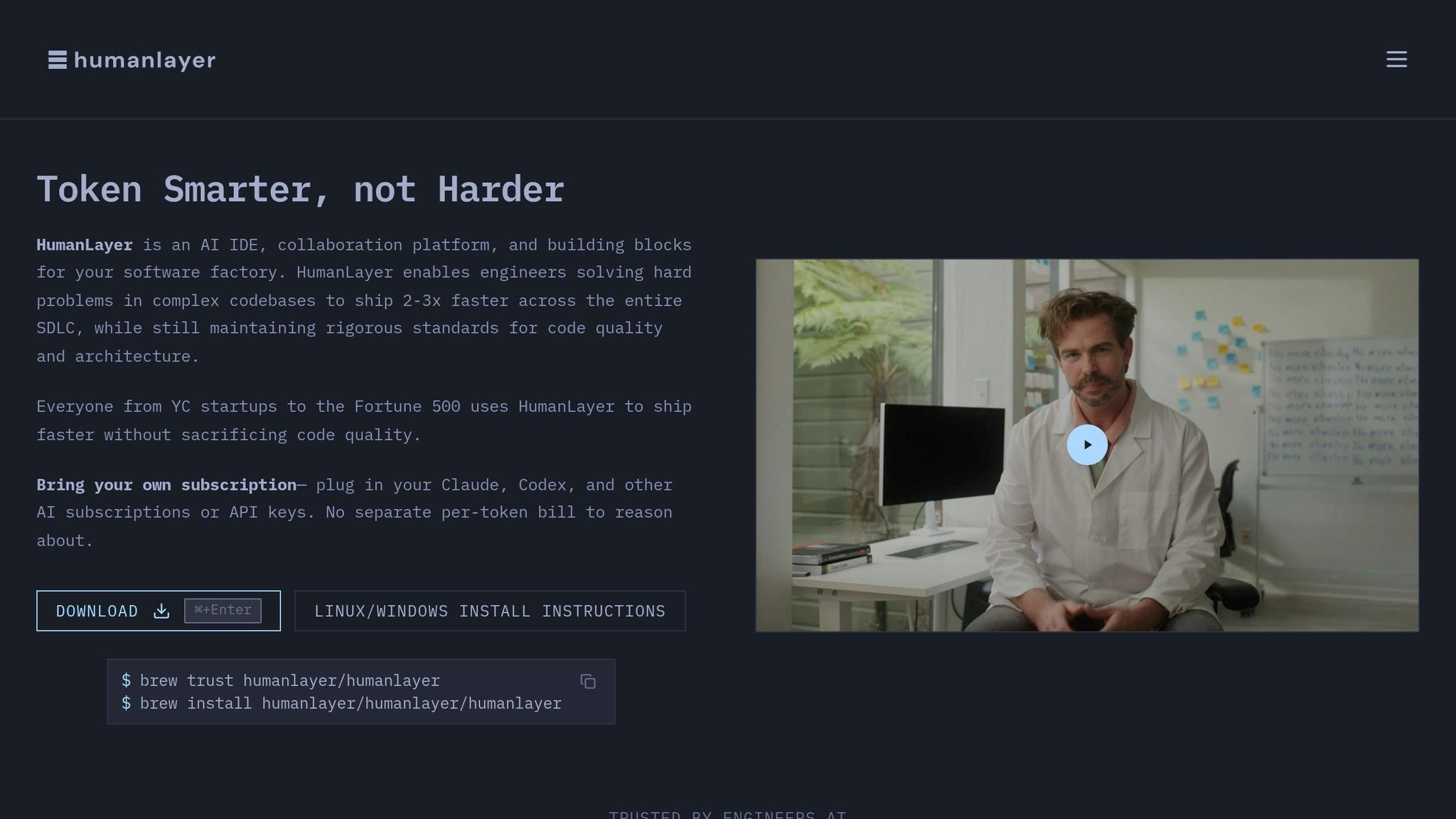
If a workflow needs a human check before execution, send it through HumanLayer. It intercepts high-risk agent actions, like outbound sends and CRM record updates, and routes them to a reviewer before the agent acts.
Gentrace covers pre-rollout evaluation. Use it to test agent outputs, like email drafts, ad copy, and lead scoring logic, with human scoring built into the review cycle. That way, you catch problems in staging instead of production.
Once an agent is live, monitoring needs to catch drift and anomalies in real time. Openlayer watches live agent behavior, flags anomalies for human review, and logs why an agent took an action, not just that it did [1]:
"Delegation without transparency is guesswork." [1]
Without that context, post-mortems turn into guesswork. With it, you can trace the failure and fix the right workflow.
Step 4: Run human oversight as an ongoing operating system, not a one-time setup
Once permissions, logs, and approval gates are in place, oversight moves from setup into a weekly rhythm. Treat it like part of how the team works, not a launch task you check off once.
Run a Monday review to set agent priorities. Run a Friday audit to check outcomes, violations, and exceptions. Give information-only agents a lighter touch. For any agent that writes, sends, or executes, require a documented approval checkpoint.
Then look at a small set of metrics and ask a simple question: should this workflow stay under review, shift to monitoring, or earn more autonomy?
Track the metrics that show whether your guardrails are working
These metrics help you see whether your guardrails are doing their job or slowing the team down.
| Metric | What It Measures | Why It Matters |
|---|---|---|
| Policy violation rate | Frequency of AI actions bypassing established guardrails [4] | Track this in the weekly review. Any upward trend means controls need attention. |
| Hours saved per rep | Weekly hours of admin work saved per rep | Shows whether automation is giving real time back to the team. |
| Ideal-customer match rate | Percentage of leads matching the AI-defined ideal customer profile | Helps confirm the agent is going after the right accounts. |
| CAC change | Cost difference between AI-generated and manual opportunities | Helps validate whether automation is improving efficiency. |
| Data hygiene % | Percentage of clean, structured data ready for AI use | Weak data quality usually shows up as weaker agent performance. |
When policy violations go up, ideal-customer match rate drops, or hours saved per rep stall, pause the rollout and tighten controls before the issue spreads.
Know when to tighten control and when to grant more autonomy
Grant more autonomy only after several weekly review cycles show steady performance on the metrics that matter. Tighten controls when you spot quality drift, or when an unreviewed outbound message or a write to live systems slips through [1][4].
In other words, autonomy should come after repeated proof of safe performance.
If an agent is getting close to all three capabilities, sensitive data access, external communication, and execution, add a checkpoint. Don’t remove one. Set a monthly spend cap by agent or use case that triggers leadership review when monthly token spend passes a set limit [4].
That matters for cost control too. Average monthly AI token spend across enterprises grew 13x between January 2025 and January 2026 [4], so spend review belongs in the same oversight rhythm.
Jensen Huang, CEO of Nvidia, put the principle plainly:
"If we want to be secure as an enterprise, you should allow someone, including an AI, any two of those three things [accessing sensitive info, executing code, communicating outside] at one time, but not all at one time… All of it should be governed." [2]
Apply the strictest governance before an agent reaches that threshold, not after.
Conclusion: Build human-in-the-loop GTM automation by design
Taken together, these steps give you a control system for AI GTM automation. This only holds up over time when oversight is part of the setup from day one. Map risk, gate high-impact actions, add guardrails, and review performance on a set cadence.
Treat oversight as part of system design, not as a compliance add-on. That shift matters. Oversight isn’t a drag on automation. It’s what makes automation trustworthy enough to scale.
Use tooling to enforce approvals, testing, and monitoring. The point is simple: actions get reviewed before they run, outputs get checked before they ship, and live behavior gets tracked after deployment.
Start with tighter review, then expand autonomy after you see steady, low-risk performance. In other words, the goal isn’t less AI agents in marketing. It’s safer AI that scales with the business.
FAQs
How do I decide which AI GTM tasks need approval?
Sort workflows by risk and execution impact. Keep assistive AI separate from autonomous AI.
If a workflow acts on its own, add a human-in-the-loop approval step. That includes actions like updating CRM records, triggering external tools, sending communications, or reallocating budget.
Use lighter rules for AI that only drafts copy or suggests next steps. Put approval first for tasks that involve high-risk data, regulated content, or irreversible actions.
What should automatically trigger a human review?
Trigger human review by default for high-risk actions, public-facing content, and any task that calls for empathy, strategy, or nuanced judgment.
Set clear review checkpoints for workflows that take external actions, update CRM records, involve unapproved spend, or make major recommendations like lead-scoring changes. Keep AI-written messaging, marketing assets, and complex responses in draft mode until a team member checks them for accuracy and brand fit.
When can I let an AI agent run without oversight?
Keep a human in the loop for strategy, creative judgment, and high-risk actions.
AI agents should run on their own only after you set clear guardrails, test how they perform, and make sure the data is accurate and unified. Even then, keep automation focused on repeatable, data-heavy, or low-risk work like data entry and basic reporting.
Any external communication, record updates, or budget spend should still require human approval.