
If you’re picking an AI agent platform for GTM, the choice usually comes down to control vs. ship time. I’d group these five platforms by what they help with most: Elvex for simple no-code setup, Lyzr AI for internal knowledge work, Credal AI for permission-based access, AgentHub for multi-agent coordination, and Epsilla for oversight across teams.
I’m Lillian Pierson, a fractional CMO who’s educated 45,400 people on building AI-native growth and marketing systems with tools including n8n, Airtable, Claude and OpenAI AgentKit. The platforms below are worth judging on whether they can carry a real GTM motion.
It might surprise you to hear that the article’s clearest takeaway isn’t about model quality at all. It’s about four buyer checks that shape platform fit for GTM teams:
- No-code / low-code: Can your sales, marketing, or RevOps team build without heavy engineering help?
- Governance: Can you control access, approvals, and agent behavior?
- Deployment speed: How fast can you connect tools like HubSpot, Salesforce, and Slack?
- Workflow reach: Can agents work across CRM, email, and web with the right context?
The good news is each platform has a pretty clear lane:
- Elvex: best when you want a simple builder and clear workspace structure
- Lyzr AI: best for teams that need answers and drafts from dense internal data
- Credal AI: best when source-system permissions need to stay in place
- AgentHub: best for teams running several GTM agents at the same time
- Epsilla: best for teams that want orchestration and role-based oversight
One stat stands out: only 20% of companies have a mature governance model for autonomous agents. In other words, if your team works with customer, finance, or contract data, platform controls matter fast.
Quick Comparison
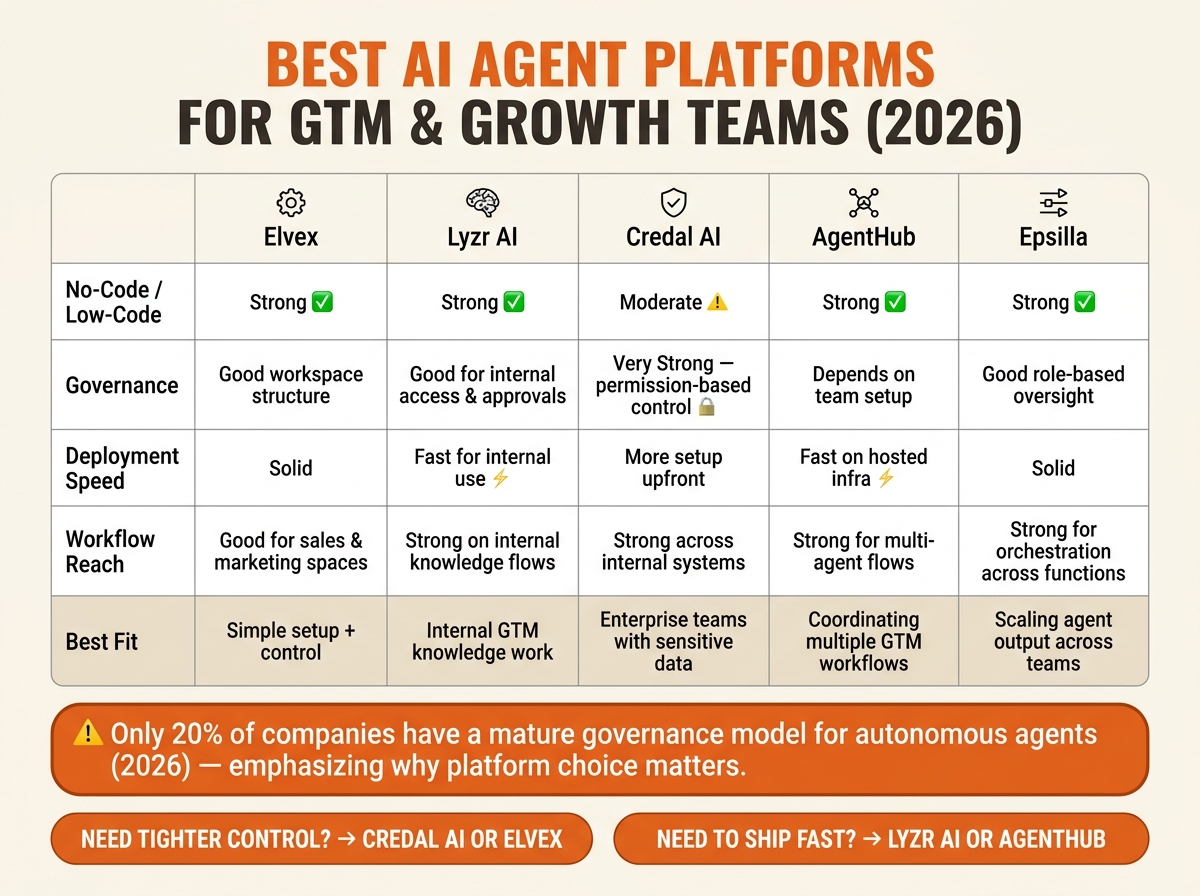
Best AI Agent Platforms for GTM Teams 2026: Side-by-Side Comparison
| Platform | No-code / low-code | Governance | Deployment speed | Workflow reach | Best fit |
|---|---|---|---|---|---|
| Elvex | Strong | Good workspace structure | Solid | Good for sales and marketing spaces | Teams that want simple setup with control |
| Lyzr AI | Strong | Good for internal access and approvals | Fast for internal use | Strong on internal knowledge flows | RevOps and growth teams using dense internal data |
| Credal AI | Moderate | Very strong permission-based control | More setup upfront | Strong across internal systems | Enterprise GTM teams with sensitive data |
| AgentHub | Strong | Depends on team setup | Fast on hosted infra | Strong for multi-agent flows | Teams coordinating several GTM workflows |
| Epsilla | Strong | Good role-based oversight | Solid | Strong for orchestration across functions | Growth teams scaling agent output |
If I were choosing from this list, I’d start with one question: Do you need tighter control, or do you need to get your first agent live fast? That answer will narrow the field quickly.
1. Elvex
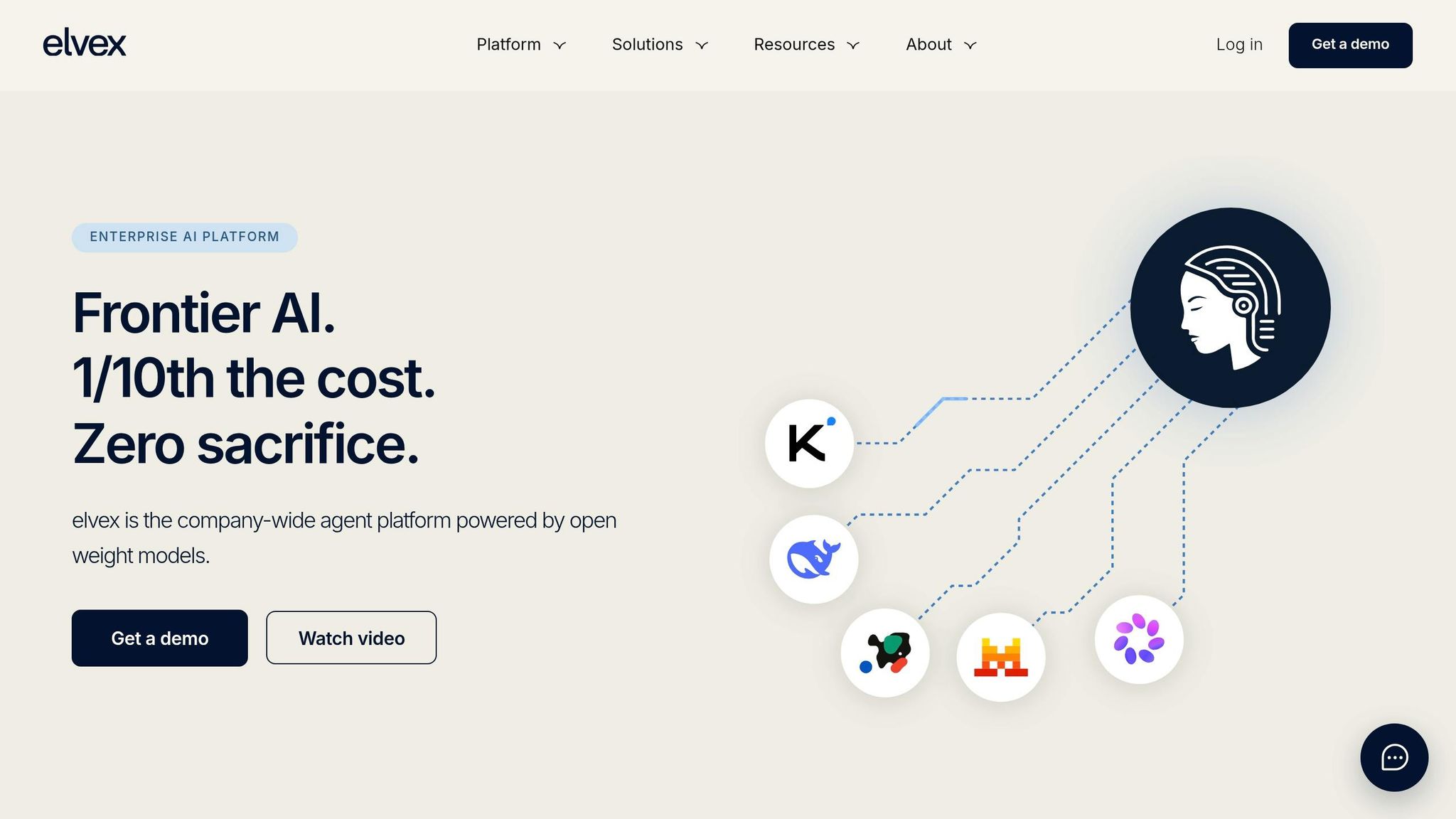
Elvex, also referenced in recent funding reports as Lua, focuses on no-code agent building and workspace control. It’s built for non-technical users, with a natural-language visual builder, pre-built templates, and guided checklists to help build an AI marketing system [1].
For GTM teams, the main question is simple: does that ease of use still give you enough control over the workspace?
Elvex uses one central workspace with separate spaces for sales and marketing, which keeps agents organized by function [1]. That setup matters most when sales and marketing need their own controlled areas to work in.
In other words, Elvex fits GTM teams that want a no-code builder for AI agents in marketing and sales without making workspace structure an afterthought.
2. Lyzr AI
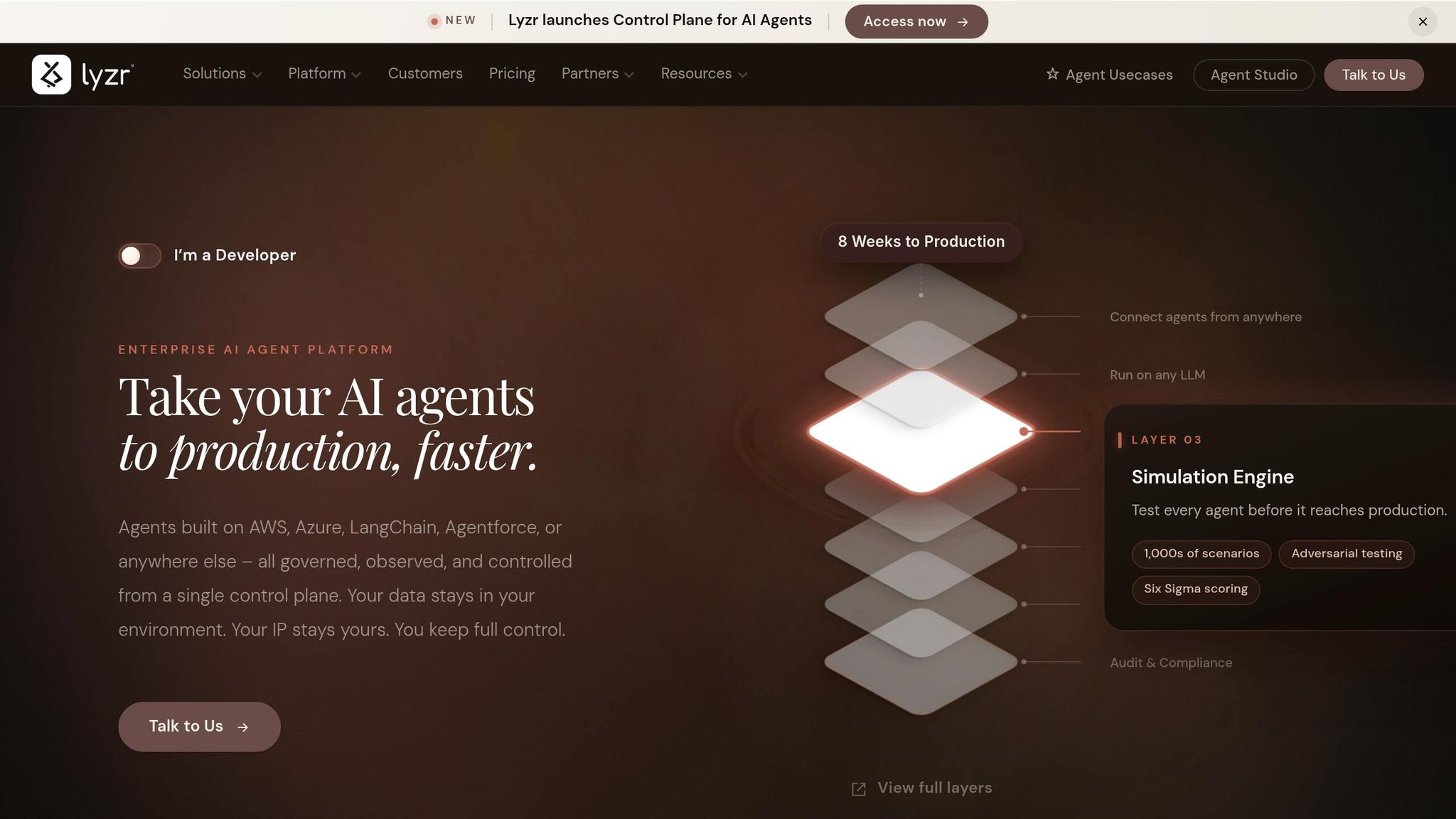
Lyzr AI turns internal knowledge bases into chat-style interfaces that answer questions and draft documents from company knowledge. Where it stands out is fast access to internal information, and you feel that most in its no-code builder.
No-Code Agent Building
Lyzr uses a visual, no-code setup, so non-technical users can build agents without writing code. In other words, growth and RevOps teams can spin up internal-data workflows across sales, customer, and operations data without waiting on engineering by using the best GTM engineering tools for their stack.
Governance and Permissions
Lyzr agents can reach sensitive data like financials, contracts, and customer logs, so access controls and approval steps matter a lot for teams that handle this kind of information.
Deployment and Integrations
Lyzr cuts the gap between question and answer. However, outbound or customer-facing content still needs approval steps before it goes live.
Best Fit for RevOps and Growth Teams
Lyzr fits RevOps and growth teams that work from dense internal data. It’s weaker for templated outreach agents. Or put another way, Lyzr works best for internal GTM knowledge work, not lightweight outbound automation.
3. Credal AI
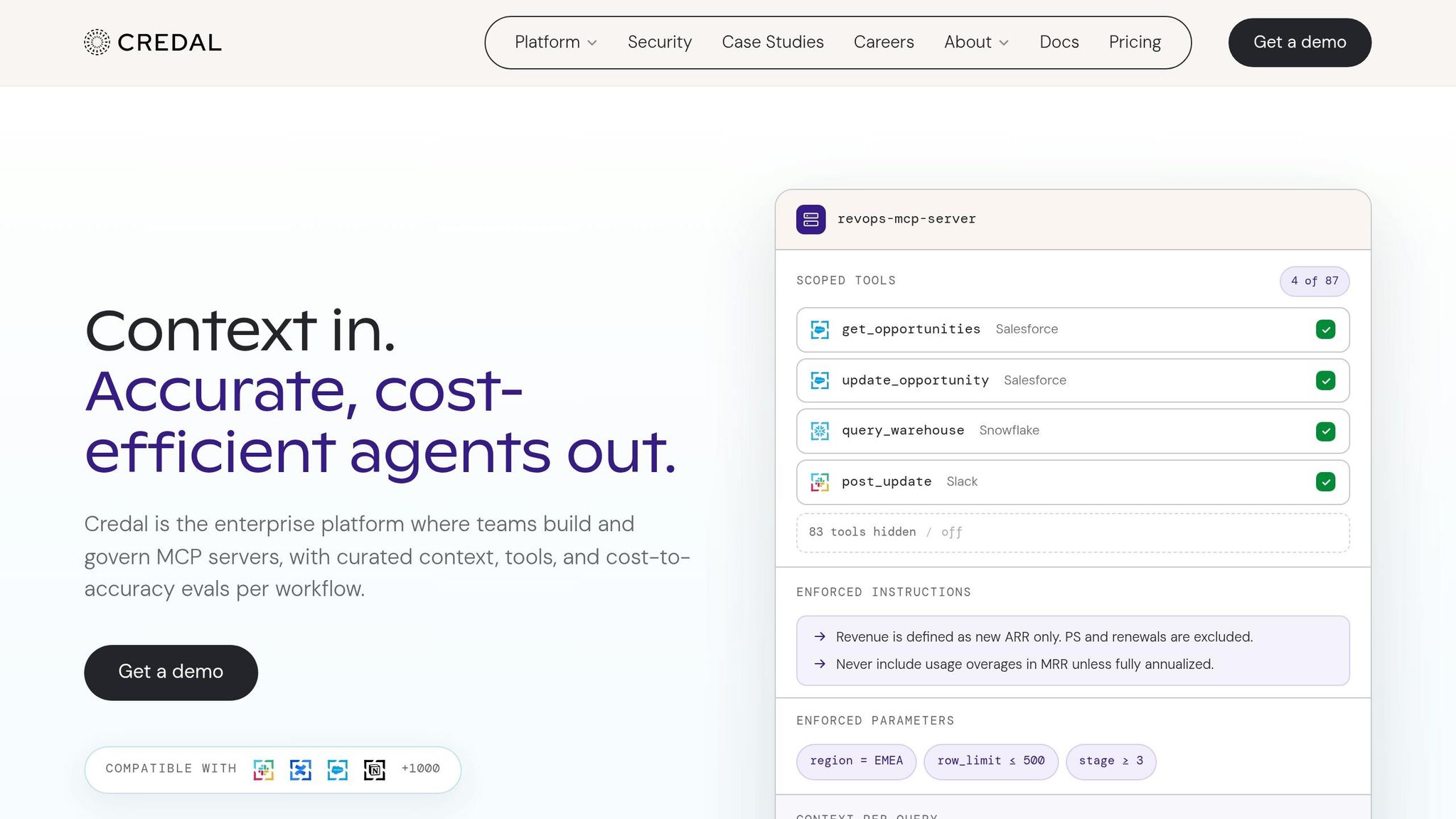
Credal AI gives each agent access based on the current user’s permissions. In other words, it’s more than a no-code builder. It’s a permission-first platform for internal GTM workflows, and that matters most when agents need broad system access without stepping past access limits.
No-Code Agent Building
Credal AI gives GTM teams a visual, no-code builder for agents that can work across internal systems without help from engineering.
Governance and Permissions
The platform uses retrieval that respects source-system permissions. That means agents only see data the specific user already has rights to access in tools like Jira or Confluence. Governance matters here because weak controls drive agent failures[1].
Best Fit for GTM Execution
For GTM teams, the upside is simple: control stays with the source system, not the agent. Credal fits enterprise GTM teams that work with sensitive internal data and need agents that follow existing permission structures. That makes it a strong choice for controlled GTM workflows where strict access control matters more than speed alone.
4. AgentHub
If Credal is about control, AgentHub is about coordination at scale. It’s built for teams that need multiple GTM agents running in parallel, not just one-off bots. Each agent can take on a defined role, so the team can run several workflows at the same time without everything turning into a mess.
No-Code Agent Building
Nontechnical GTM users can build agents in a visual builder that uses templates and checklists. That lowers the barrier for sales and marketing teams who want to move on their own. Teams that want deeper control can use TypeScript for session logic.
Governance and Permissions
AgentHub uses a centralized workspace with separate sales and marketing spaces. In other words, teams can keep functions organized while still monitoring agents from one place.
Deployment and Integrations
AgentHub runs on hosted infrastructure, so teams can deploy agents without managing servers. That setup makes rollout simpler for mid-market and enterprise teams that want to get agents live fast.
Best Fit for GTM Execution
This makes AgentHub a better fit for teams that manage several agent workflows at once. It works well for GTM teams that need to coordinate multiple agents across functions without leaning on engineering for every step.
5. Epsilla

Epsilla works well for GTM teams that need orchestration and oversight, not just a place to build agents. It gives GTM and growth teams a way to build and launch agents without engineering support.
No-Code Agent Building
Epsilla uses a drag-and-drop builder, so users can describe a goal in plain English and lay out the workflow step by step in a visual way.
Governance and Permissions
Epsilla gives teams role-based oversight through command centers with dedicated spaces for sales, finance, and marketing[1]. That setup helps when more agents enter the mix and teams still need a clear view of what runs where.
Deployment and Integrations
Its orchestration layer helps teams manage many agents while keeping workflows under control.
Best Fit for GTM Execution
Epsilla fits growth teams that want to scale agent output and automate predictable revenue without adding headcount.
Platform Comparison: Strengths, Tradeoffs, and Best-Fit Teams
These five platforms don’t differ much in what they promise. The bigger difference is how fast GTM teams can launch agents, keep them under control, and scale them without chaos.
This table gives you a simple way to compare build speed, control, deployment, and GTM fit.
| Platform | No-Code Building | Governance & Permissions | Deployment & Integrations | Best GTM Fit |
|---|---|---|---|---|
| Elvex | Simple visual builder for nontechnical users | Works best in controlled rollouts | Fits centralized enterprise deployment | Teams that need secure, controlled adoption |
| Lyzr AI | Low-code and template-driven | Built-in guardrails for internal data | Faster setup for internal workflows | Teams that want speed with structure |
| Credal AI | Requires more initial setup | Permission-first access control | Better for sensitive workflows | RevOps and ops-heavy teams |
| AgentHub | Drag-and-drop workflow building | Depends on team-defined controls | Good for modular automation | Growth teams running multi-step automations |
| Epsilla | Plain-English agent setup | Supports role-based oversight | Built for orchestrating multiple agents | Teams scaling agent output across functions |
The big tradeoff here is governance versus speed. It might surprise you to hear that, as of 2026, only 20% of companies have a mature governance model for autonomous agents [2].
In other words, the right pick depends on the bottleneck that slows your team down most.
- If you handle sensitive data, lean toward governance-first platforms.
- If your team runs multi-step processes, look for modular automation.
- If you need to scale agent output across teams, choose a platform built for orchestration.
Conclusion
The right platform comes down to one honest question: what is your main bottleneck: control or speed?
In most cases, the choice is pretty simple. If governance is the bottleneck, pick a permission-first platform with auditability and rollback. If speed is the bottleneck, pick a no-code builder your team can launch without engineering help.
Whichever platform you choose, every deployed agent still needs a named owner, minimum access, and a clear shutdown path. The best teams manage agents with the same discipline they expect from human operators. You can also learn from top AI marketing experts who are already scaling these systems.
Choose the platform that removes the biggest friction in your first deployed agent.
Keep reading
- what a GTM engineer actually does
- how to build an AI-native GTM strategy
- AI workflow automation for lean teams
FAQs
How do I choose between control and speed?
Choose based on governance, not only automation speed. Pick the tool with the strongest control model so you can scale with fewer surprises.
Set firm security and governance baselines, like role-based access controls and audit logs, and keep them in place even when speed looks tempting. For low-risk tasks, speed makes sense. For actions that update records or trigger external communication, add human-in-the-loop checkpoints.
Which platform is best for sensitive GTM data?
For sensitive GTM data, pick a platform with strong data governance and granular permissions. For enterprise teams, Salesforce MCP is a solid fit because it supports advanced governance and works with Agentforce to manage internal records in a secure way.
When you connect AI to your CRM, set up MCP servers the right way. That means you enforce intersection-based permissions, block sensitive properties like PHI, and store credentials securely instead of hardcoding API keys.
Can I deploy GTM AI agents without engineers?
Yes. Modern no-code and low-code agent platforms let business users launch GTM AI agents without an engineering team. They do it through visual builders, templates, and natural language interfaces.
The catch is simple: success still comes down to strong workflow design and governance. You need clear operating rules, human approval for high-risk actions, and unified data before deployment.